Nic On Lumix
Stop Paying for Mobile Editors:
Why the Free Lumix Lab App is a Game Changer (For Any Camera)
Let’s be honest: mobile photography editing has become expensive.
If you want pro-level tools on your phone, like tone curves, HSL, or high-quality color grading, you are usually forced into a monthly subscription. Apps like Lightroom Mobile, VSCO, and Darkroom are fantastic, but those monthly fees add up fast.
But what if there was a mobile editor that offered professional-grade tools, incredible color science, and unlimited LUT support, completely free? No paywalls and no “pro” tier.
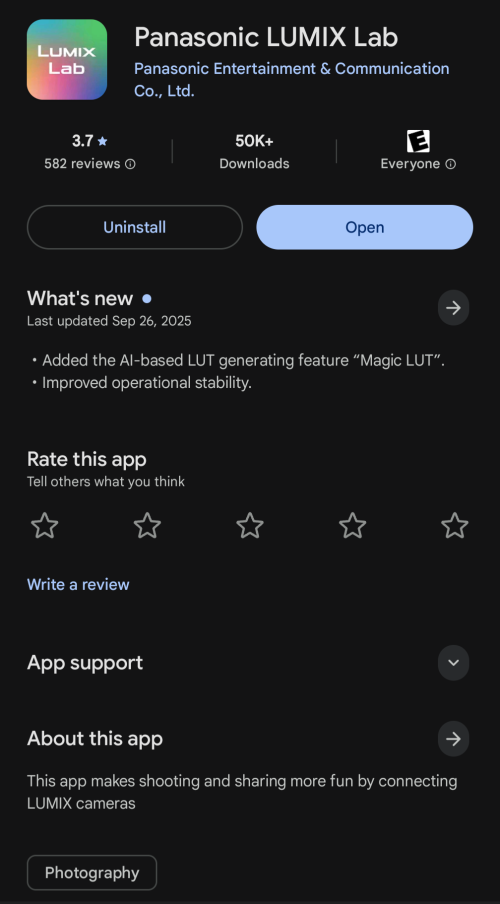
It exists. It’s called the Lumix Lab App.
Here is the secret that most photographers don’t know: You do not need a Lumix camera to use it.
Whether you shoot with a Sony, Canon, Nikon, or just your iPhone, the Lumix Lab App might just be the best free mobile photo editor available right now. Here is why.
The Biggest Misconception: It’s Not Just for Lumix
When Panasonic released the Lumix Lab App, most of us assumed it was just a companion app for cameras like the Lumix S9 or S5II.
While it does connect to those cameras for fast transfers, the editing side of the app is completely standalone.
The app doesn’t care where the image came from. I have successfully edited photos taken on a Sony A7IV, a GoPro, and my 35mm film scans. The Lumix Lab app treats them all the same, giving you access to its powerful color engine regardless of the camera brand you use.
Pro Features, Zero Cost
Usually, “free” photo apps mean you get basic brightness and contrast sliders, but the good stuff is locked behind a paywall.
Lumix Lab flips the script. The entire feature set is free from day one. Here is what makes it stand out against paid competitors:
1. Incredible Free LUTs (Created by Professionals)
Lumix Lab features a massive library of LUTs created by professional photographers and creators. This means you have access to tons of distinct, artistic styles right out of the box.
Even better, you can import your own .cube files in seconds. If you have a favorite folder of LUTs on your phone, you can bring them right into Lumix Lab and apply them to any photo.
(Pro Tip: If you’re looking for some high-quality looks to get started, I have a collection of free custom LUTs available for download right here on my site free custom LUTs available for download right here. )

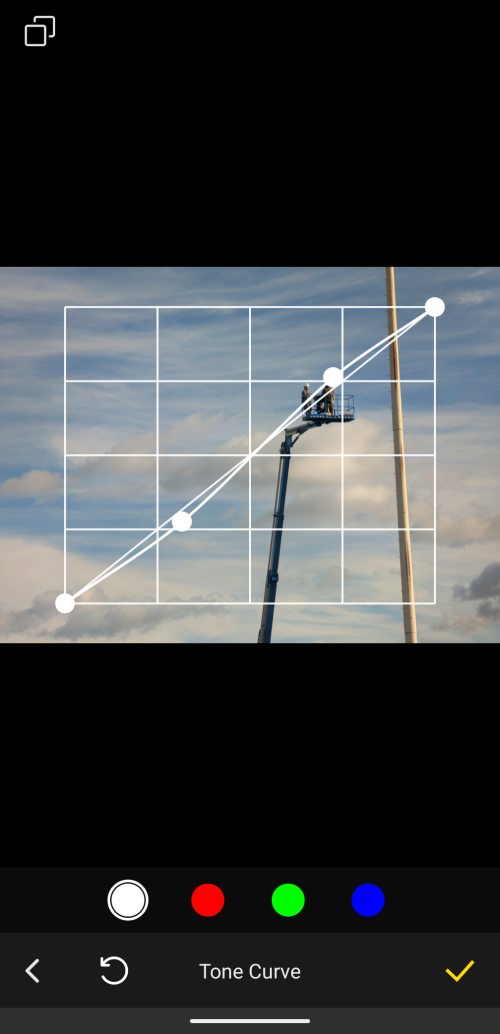
2. Tone Curves
This is usually the first feature to get locked behind a “Pro” subscription in other apps. The Tone Curve is essential for controlling contrast and dialing in the exact mood of your highlights and shadows. In Lumix Lab, it’s completely free and incredibly responsive.
3. Design and Export Your Own LUTs
This is the “killer feature” for creators. You aren’t limited to just using other people’s looks; you can build your own from scratch using the app’s tools.
Once you’ve dialed in a perfect color grade using the curves and HSL tools, you can save it as a new LUT directly in the app.
Here’s the best part: You can export that LUT.
This means you can design a color grade on your phone while you’re waiting for takeout, export it as a .cube file, and then use that exact same look in desktop programs like Adobe Premiere, DaVinci Resolve, or Photoshop. It bridges the gap between mobile and desktop editing in a way very few apps do.
4. Grain, Crop, and Framing Tools
Sometimes you need that vintage, film-like texture. The grain tool in this app is organic and pleasing rather than just digital noise overlaid on top. Furthermore, the app includes robust cropping tools for getting your aspect ratios perfect for Instagram, along with framing options to add borders to your final images.
The One “Catch”: JPEGs Only
To be completely transparent, this app is designed for speed and sharing, not heavy archival editing. The biggest limitation is that it does not support RAW photo editing.
This tool is designed for JPEGs.
If you are a professional who shoots exclusively RAW, you’ll just need to export a JPEG to your phone first. But for the 99% of us shooting everyday photos on our phones or shooting JPEG+RAW on our dedicated cameras, this app is perfect.
How to Import Your Photos
The interface is clean, modern, and keeps your edited library organized separately from your messy camera roll.
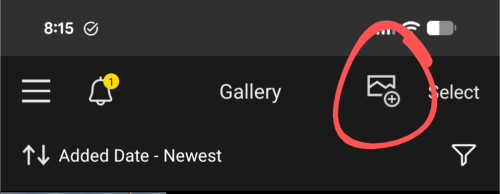
When you open the app, you’ll see the Gallery of photos you’ve previously imported or edited. To edit something new:
-
Tap the “Photo with a Plus” (+) icon at the top of the screen.
-
Select any photo from your device’s camera roll (iPhone, Android, or downloaded camera shots).
-
Hit “Import.
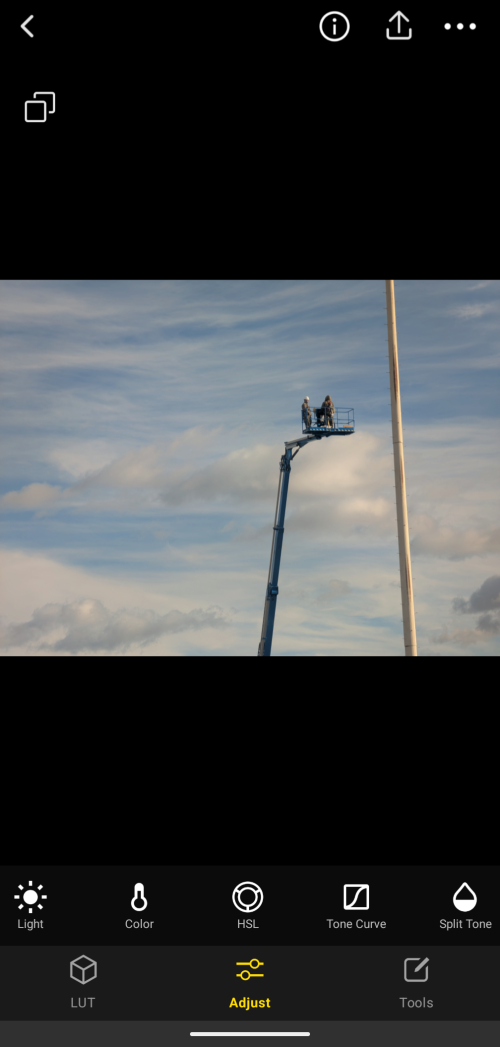
Once imported, the editor opens instantly. All your tools (LUTs, Light, Color, Effects, and Details) are neatly arranged at the bottom.
Final Verdict
If you are a professional who needs to recover 5 stops of shadows from a RAW file, stick to Lightroom.
But for the vast majority of photographers, whether you are an enthusiast sharing your Sony shots on Instagram, or an iPhone shooter looking to level up your color game, the Lumix Lab App is a must-have.
It brings professional color grading tools to everyone, completely free, regardless of the logo on your camera. Go download it, grab some free LUTs from my site, and give your wallet a break.
Sample Shots
(None of these were shot with a Lumix camera)